
Join Aaron as he highlights the advantages of using Procreate Dreams for frame-by-frame animation, showcasing its features and affordability.
Aaron Blaise: Get Started with Procreate Dreams
Creature Art Teacher Course
Animate in Procreate Dreams.
Aaron Blaise demonstrates his approach to character animation and frame-by-frame animation in Procreate Dreams.
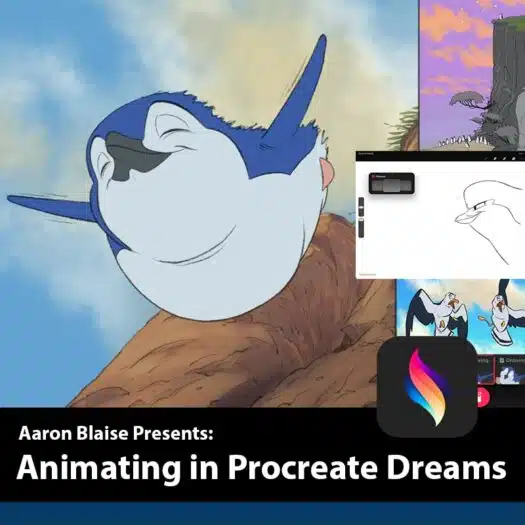
You’ll learn the interface, stage and timeline, Flipbook Mode, thumbnailing, rough sketching, animating over live action video, and Aaron’s shot breakdown of “Dream,” his penguin short.
Procreate Dreams
Frame-by-Frame Animation
Bonus Files Included
Dreams 2 Update Coming Free
Frame-by-Frame Animation
Bonus Files Included
Dreams 2 Update Coming Free
iPad Animation Workflow
Learn Aaron’s process for working on the iPad, from understanding the Procreate Dreams interface to using the stage, timeline, and Flipbook Mode.
“Dream” Shot Breakdown
Watch Aaron break down how he created “Dream,” his penguin short animation, while explaining his thought process and animation choices.
Real-Time Animation Demos
Follow along as Aaron creates original work in real time, including thumbnailing, rough sketching, and animating over live action video.
Free Dreams 2 Update
A Dreams 2 update is coming soon and will be added to this course as a free update.
Lessons
02 Deep Dive on Interface & Gestures
Learn the Procreate Dreams essentials: frame rates, animation loops, and timeline tools.
03 Quick Tip: Importing From Procreate and Photo Library
Aaron explains the compatibility between Procreate and Procreate Dreams and teaches you how to use them together.
04 Performance Mode + Warp Tool and More
Explore the performance mode feature for animation, focusing on animating a character’s walk cycle and repositioning it on screen. Learn to group elements, resize, and record movements effectively.
05 Quick Tip: Drop and Fill Color
Watch a demonstration of the color selection process and a quick filling technique across frames. Understand the importance of managing layers for improved control in your animations.
06 Animating a Walk Cycle in Dreams
Watch a demonstration of the color selection process and a quick filling technique across frames. Understand the importance of managing layers for improved control in your animations.
07 Breaking Down My Penguin Short Shot By Shot
Discover Aaron’s approach to managing the elements of his animated short, including the rough sketch, pencil drawing, color, background, music, and sound FX.
08 Drawing Over Live Action
Take advantage of the ability to combine live-action footage with animation to create captivating visuals.